Customers and markups
Quick tiles for your regulars, each with their own markups and minimum charges.
Quoting software for laser-cutting shops. It counts every cut, pierce and sheet, so your price matches the job.
Quoting laser work by eye leaks margin.
By hand it's slow. By guesswork it's expensive.
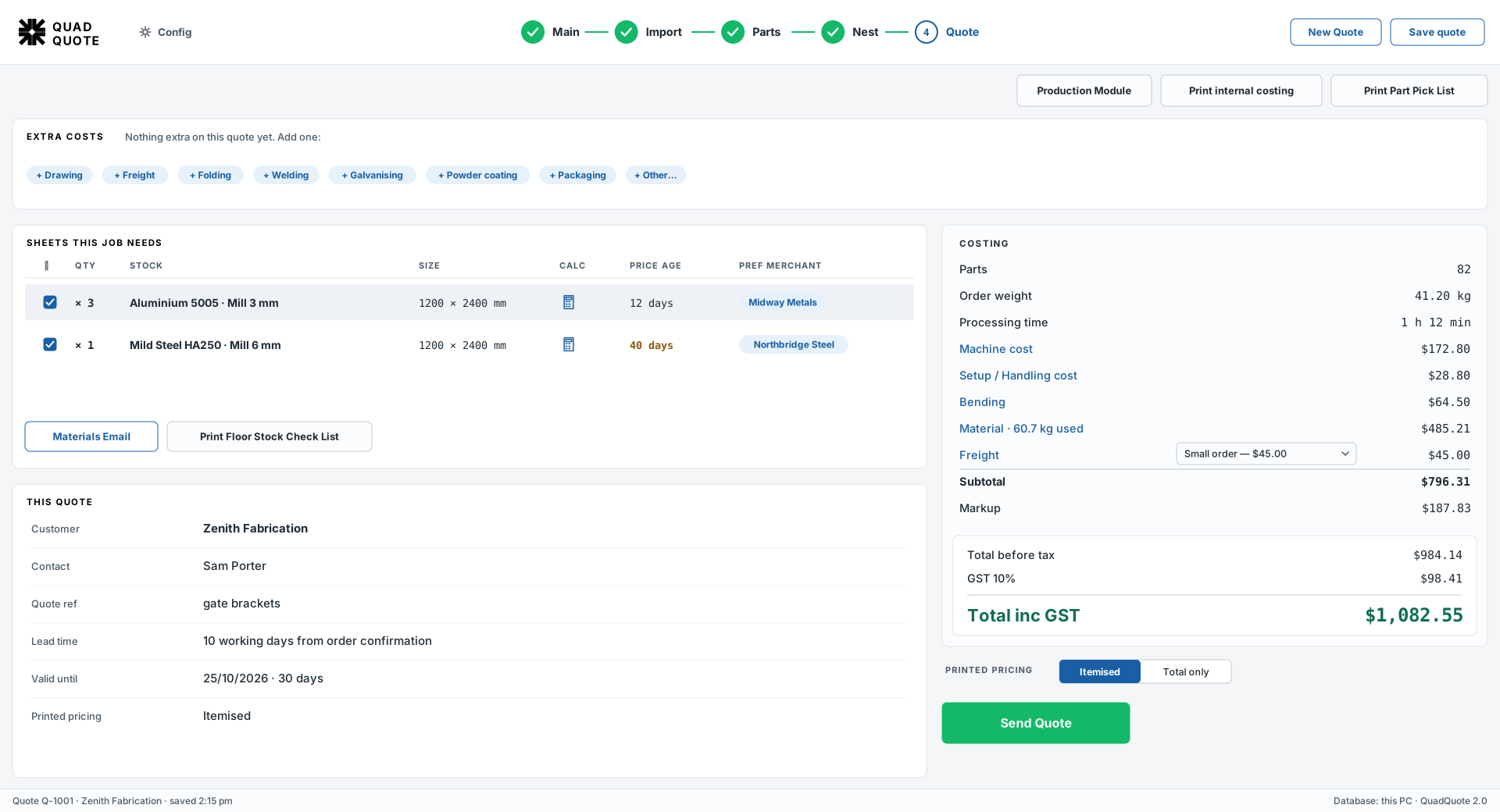
Drop in your drawings. QuadQuote nests the parts and prices the job.
See how it worksCut, pierces, machine time and metal, for every part.
Switch it on and every control explains itself in plain words.
Your quotes, customers and drawings stay on your own PCs, never in the cloud.
Try it in your own shop, on your own drawings, before you buy.
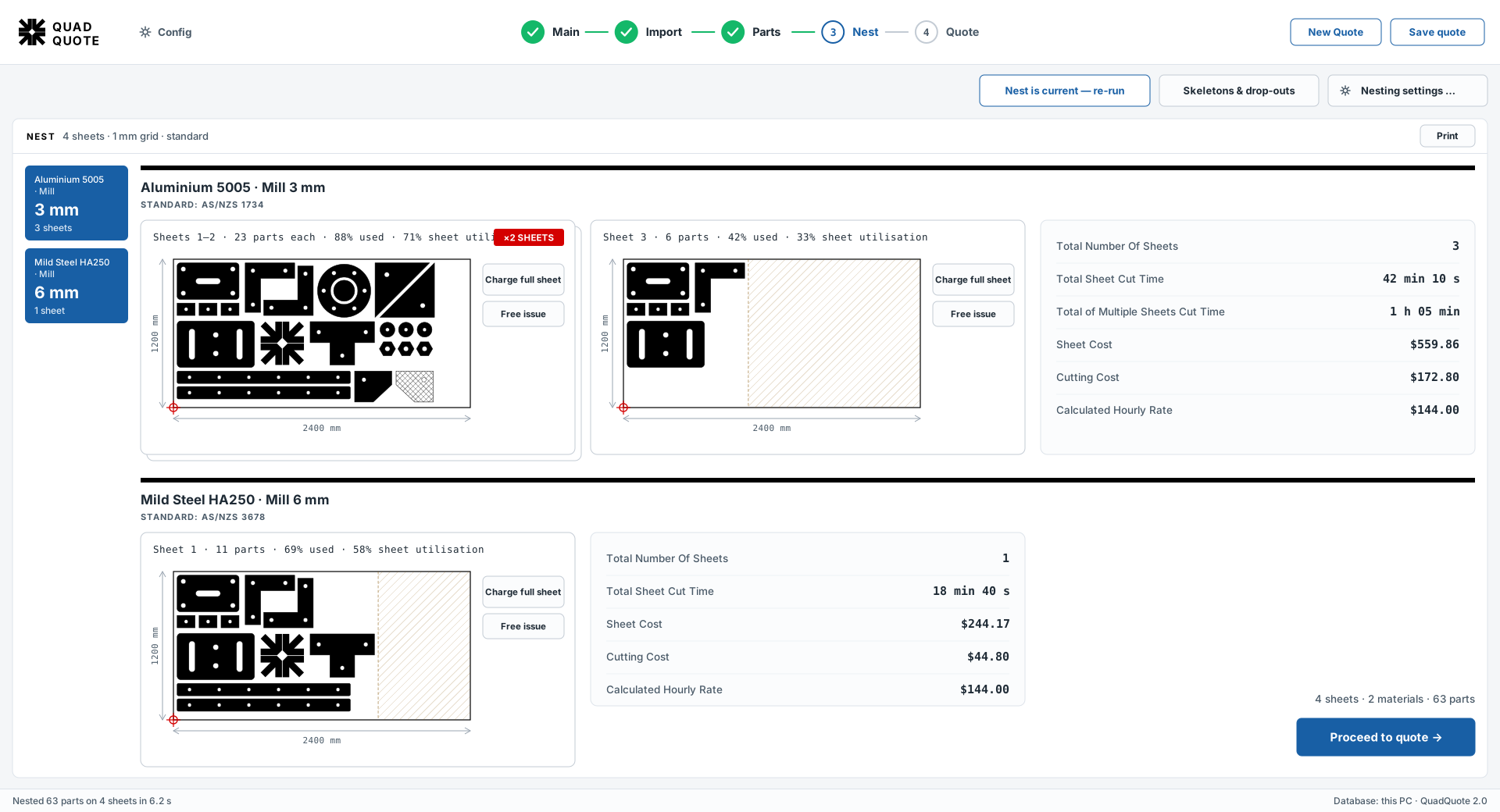
Parts packed tight on their real shapes. The last sheet is charged only for what the job used.
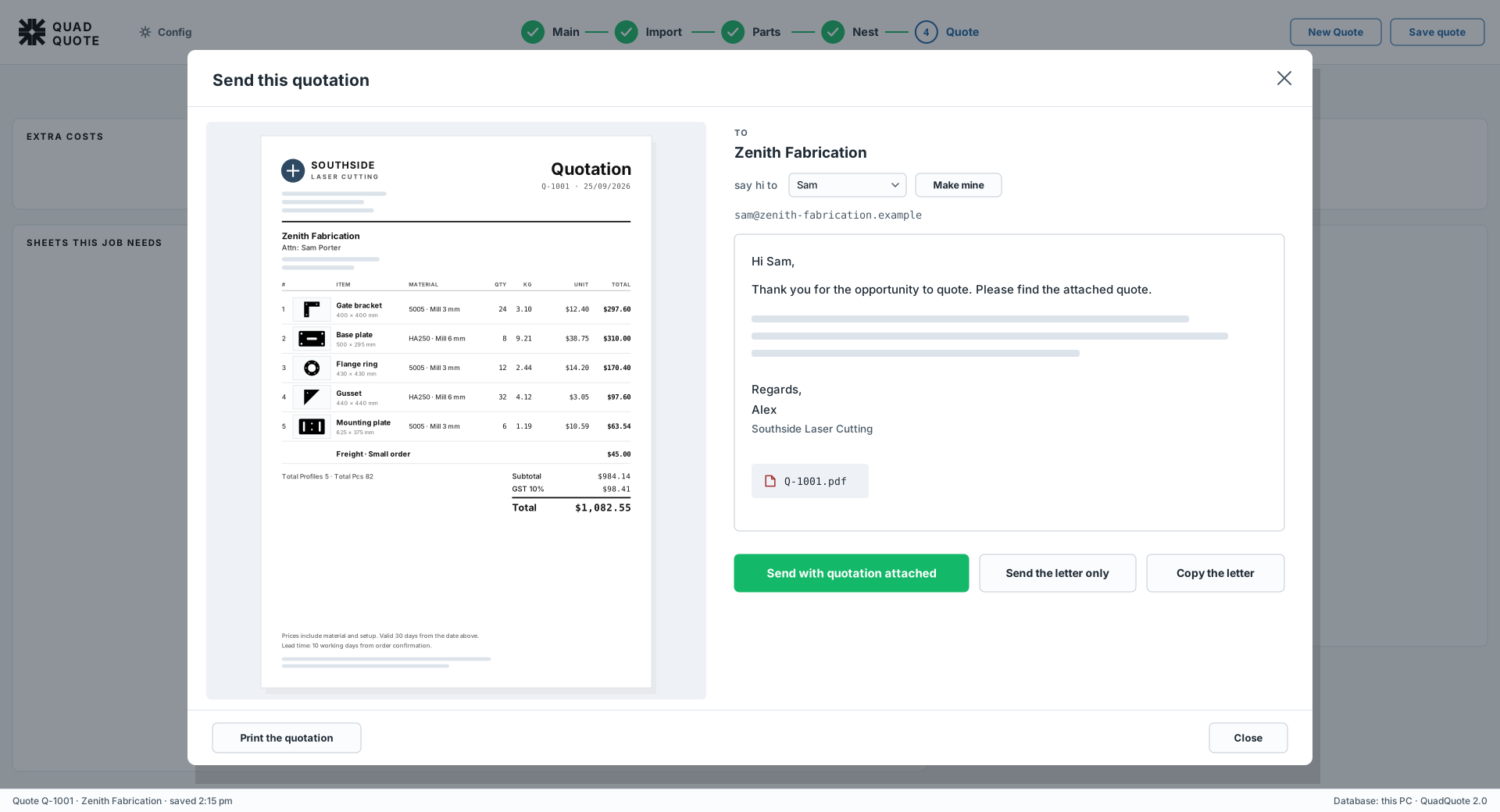
What's on the picture is what's on the bill.
Your letterhead and a drawing of every part. Print it, save it as a PDF or email it from QuadQuote.
No cloud. No downtime.
QuadQuote runs on your own PCs, so it keeps working when the internet doesn't.
Four steps · one screen
Every job follows the same four steps.
01
Drop in your customer's drawings: one file or a whole batch.
02
Set quantities and materials. Faulty drawings are flagged, with a fix suggested.
03
Parts are packed tight on your real sheet sizes.
04
Machine time, metal and extras add up to a price you can stand behind.
Everything between the drawing and the quote.
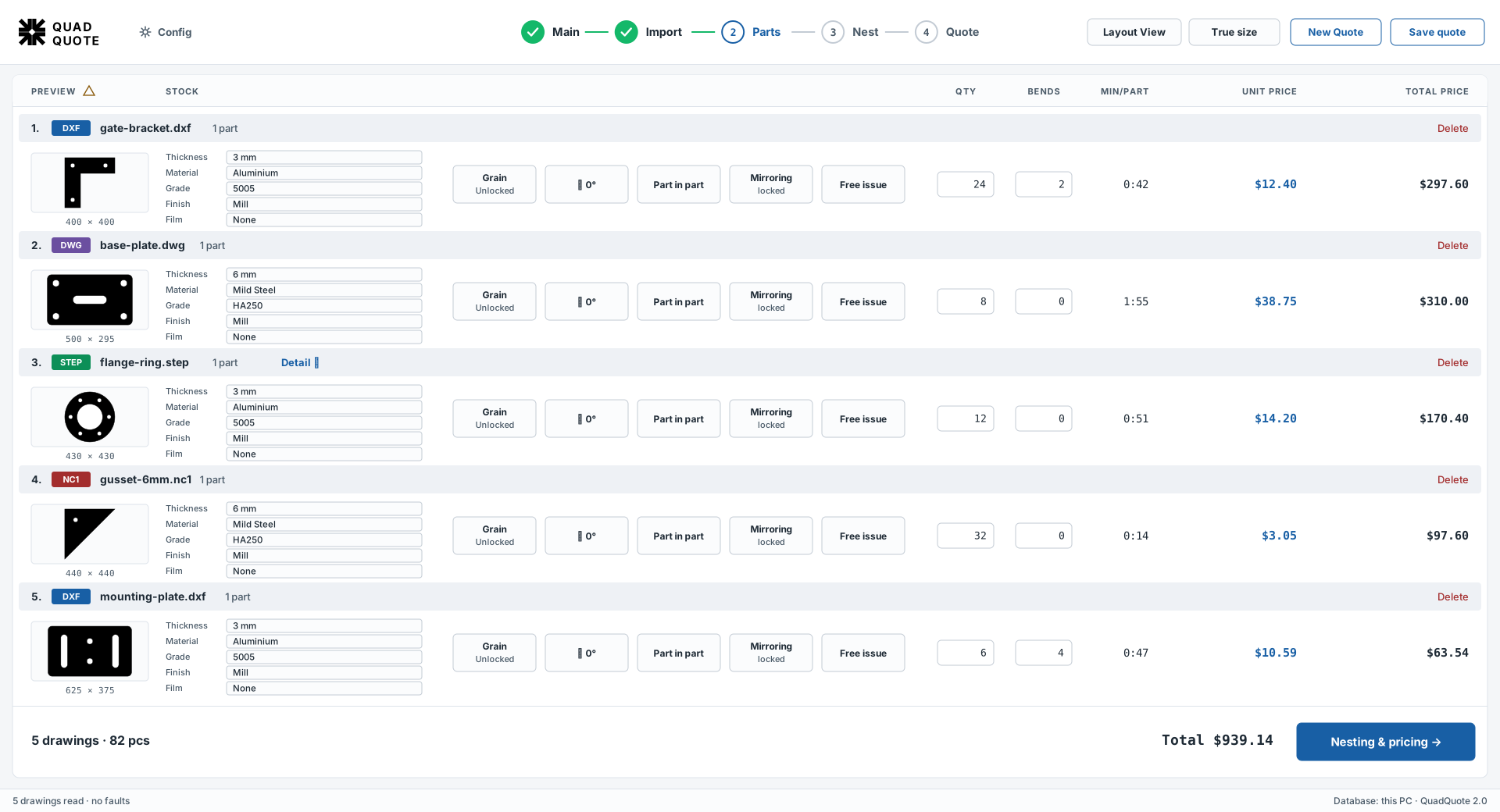
All the job's drawings in one list, with faults flagged so nothing is priced by accident.
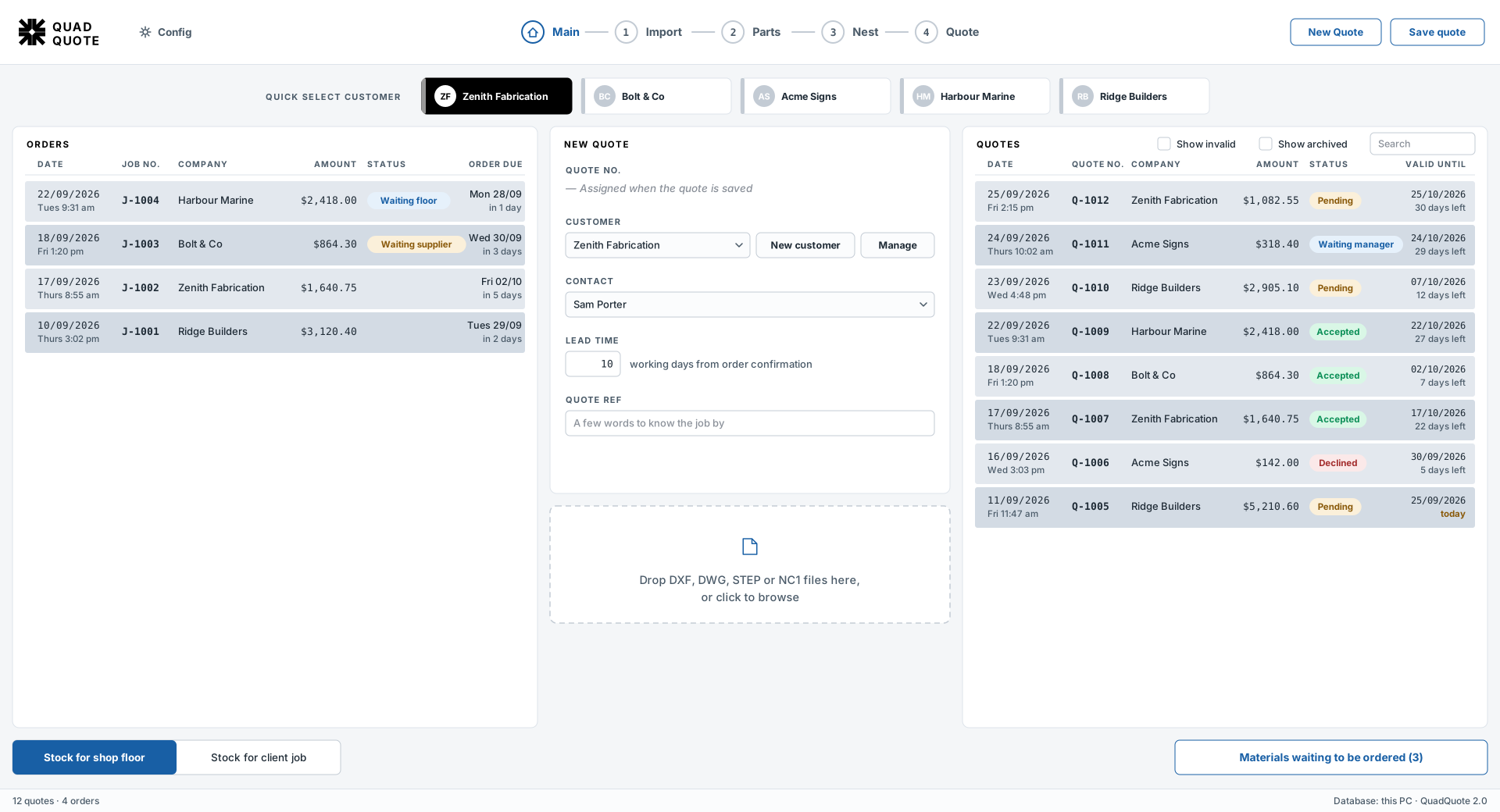
Quick tiles for your regulars, each with their own markups and minimum charges.
Your metals, sheet sizes, cutting speeds and prices. Import it from a spreadsheet.
Change a price in the office and it's on the shop floor a moment later.
A copy every day, the last seven kept, and restore when you need it.
Quotes and orders side by side, with follow-up reminders and a countdown on every quote.
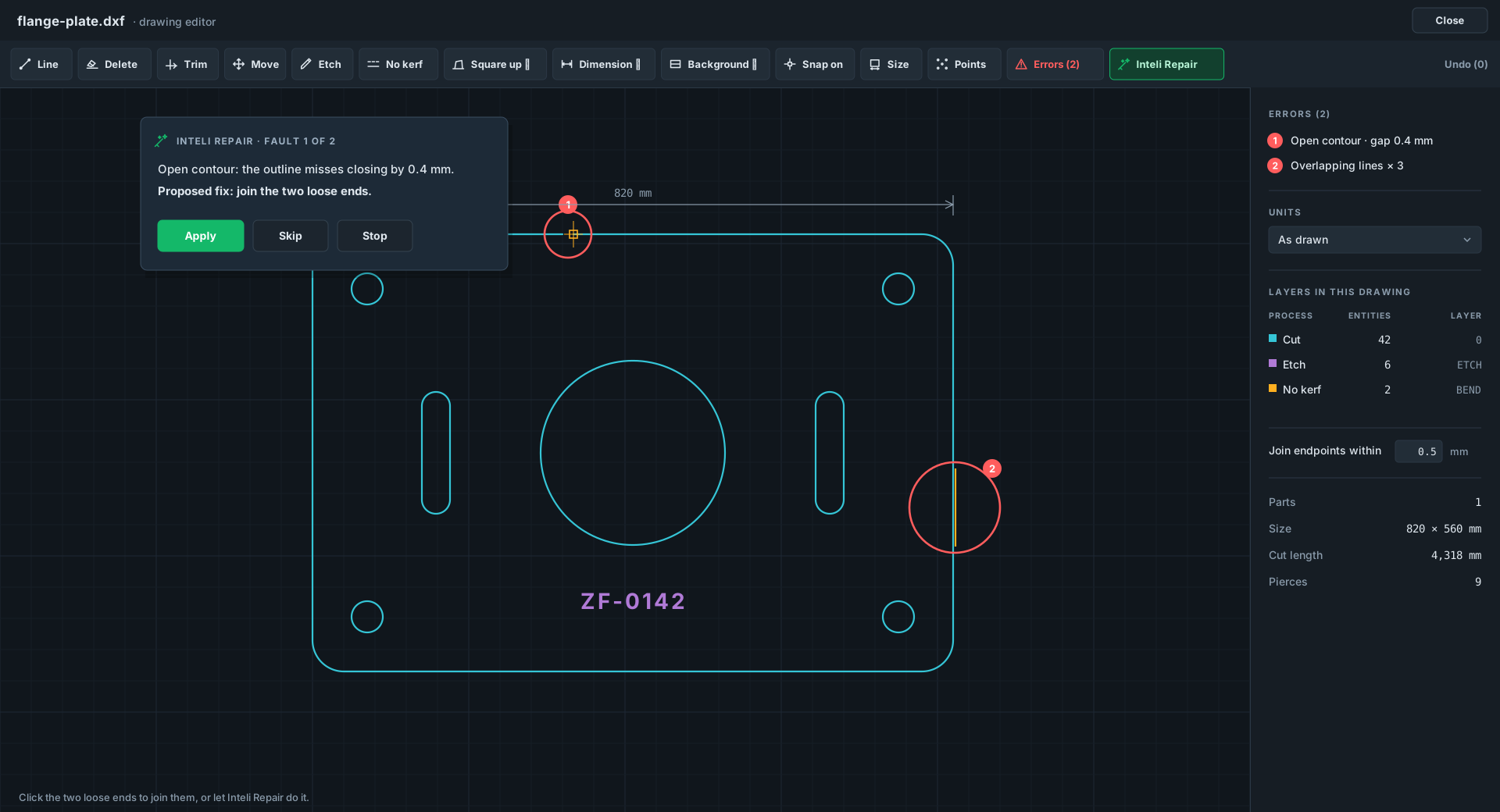
Open outlines and stray lines are found for you, with a fix suggested for each. The original file is never touched.
Per PC · per year
Pick the level that fits your shop.
Standard
The complete quoting product.
Contact sales for pricingPer PC · per year
Request pricingBusinessQuoting + buying
Quoting, plus buying the metal it needs.
Contact sales for pricingPer PC · per year
Request pricingEnterprise
For larger shops that want everything, set up for them.
Talk to usTailored quote
Contact salesStraight answers.
Ask for one below and we'll email you the installer and a trial code. When you buy, you enter a new code: nothing to reinstall, nothing lost.
Windows PCs. It's a desktop program, not a website.
DXF, DWG, STEP and NC1. DWG needs the free ODA File Converter, and QuadQuote shows you where to get it.
Only to activate, renew or move a licence, and for the AI email reader if you switch it on. Quoting itself never does.
Yes. Each PC needs a licence, and they all share one database. A PC that only stores the database needs no licence.
A renewal is a new code: enter it and carry on. To change computers, free the licence on the old PC, then activate the new one with the same code.
Try QuadQuote free in your own shop.
Tell us about your shop and we'll send the installer and a trial code. Questions or pricing? Email business@quadquote.net.